
Most resume parsing software gives you a set of fields. Your name, email, job titles, dates, and skills, ready for an employer's database. That's useful if you're the employer. If you're the one job hunting, it leaves you where you started: the same resume, and no idea what the software made of it.
I built Resume Cleanup to finish the job. It reads your resume like a parser, then hands it back to you as a resume, rebuilt and cleaned up, and lets you edit it right in your browser. On top of that, I wanted it to tell you what it fixed and what still needs fixing, and let you fix it right on the page. I also wanted it to be transparent about its limitations so that you won't just blindly trust whatever it produces.
What Does Resume Parsing Software Usually Give You?
Usually, a list of fields. Most resume parsing software reads your resume and fills a form or a database for an employer: your name, contact details, job titles, employers, dates, and skills. It's built for the person sorting applications, so if it misreads your resume, the fix is usually retyping it by hand.
Paid parsing services are built for businesses and priced per document, like Affinda's US$0.10 a resume. Application forms use the same idea, and even the big platforms tell you to "review and edit your information" after the form fills itself in. Open-source parsers like OpenResume show you what they found, for single-column PDF resumes in English.
All of that tells you what a parser read. None of it gives you a better resume. That's the part I wanted to fix, and the first post in this series explains why the reading matters so much.
What Makes Resume Cleanup Different From Other Parsers?
It hands your resume back. Resume Cleanup reads your file like any parser, rebuilds it into a clean, standard resume, fixes what it safely can, flags what needs your own words, and keeps anything it couldn't place. Unless you send it to the Fit Score, it never goes to any server, ours or a third party's.
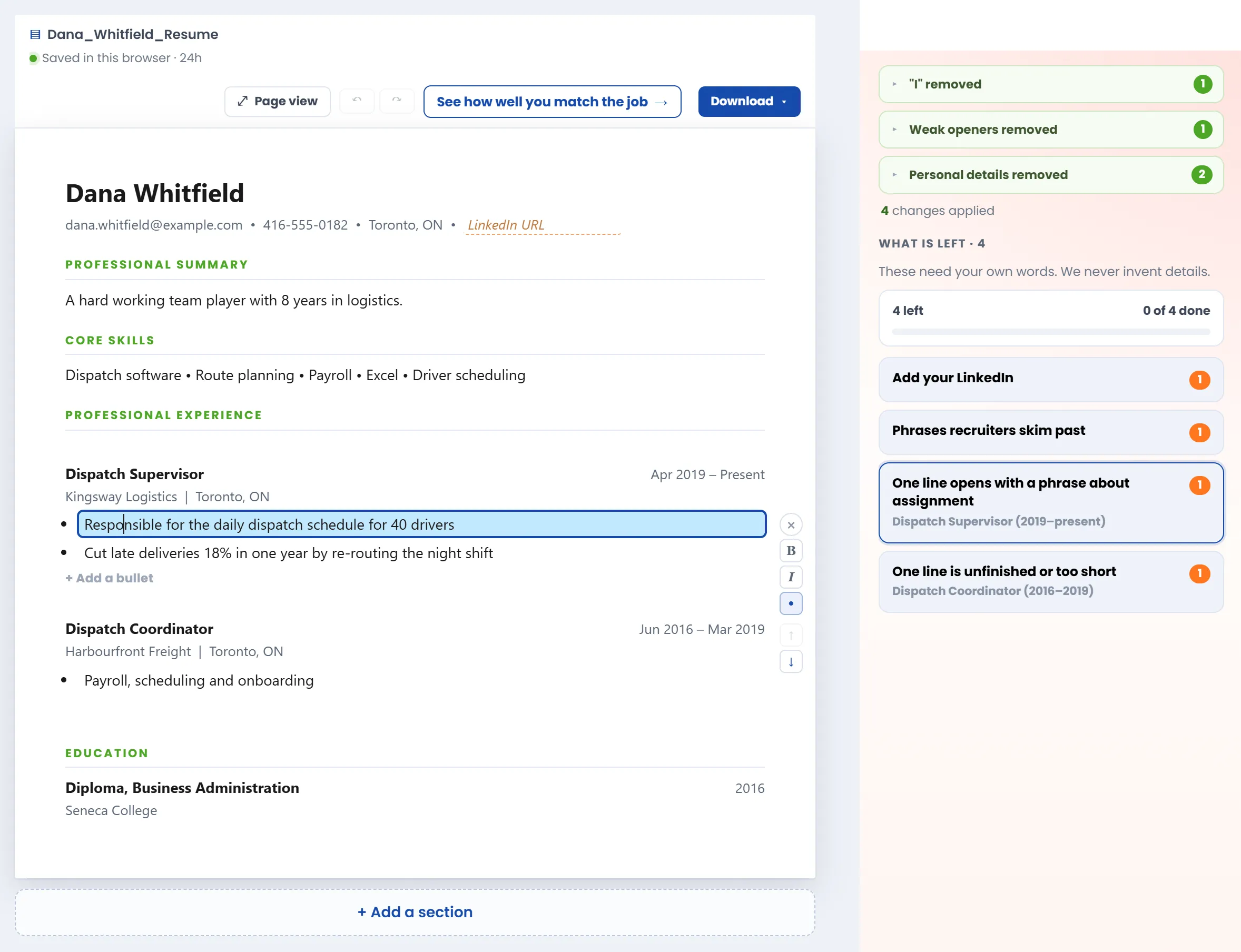
It does three jobs at once. It cleans up: "I" and weak openers get rewritten, personal details like a date of birth come out, and your numbers stay exactly as you wrote them. It builds: every job comes back as title, employer, and dates, in one clean column with plain headings. And it's honest about the rest. Notes in the margin point to what only you can fix, under a line that says it plainly: "These need your own words. We never invent details."
It's also light. Resume Cleanup is one web page, with no account to create and nothing to install. I made it no sign-up on purpose: I know how frustrating it is to try a "free" product, test its features, and then get told to create an account before you can keep going.
Your resume is read in your browser, PDFs included, by Mozilla's open-source PDF reader, and it's never uploaded. That matters: in 2025, researchers found more than 5.1 million files, mostly resumes, left open online by one resume platform. More on why we don't store your data.
What You Can Do With Your Resume
Every line is editable. Click it and type, headings included. Beyond that:
- Click the ✎ beside a job to fix its title, employer, place, dates, and bullets in one form.
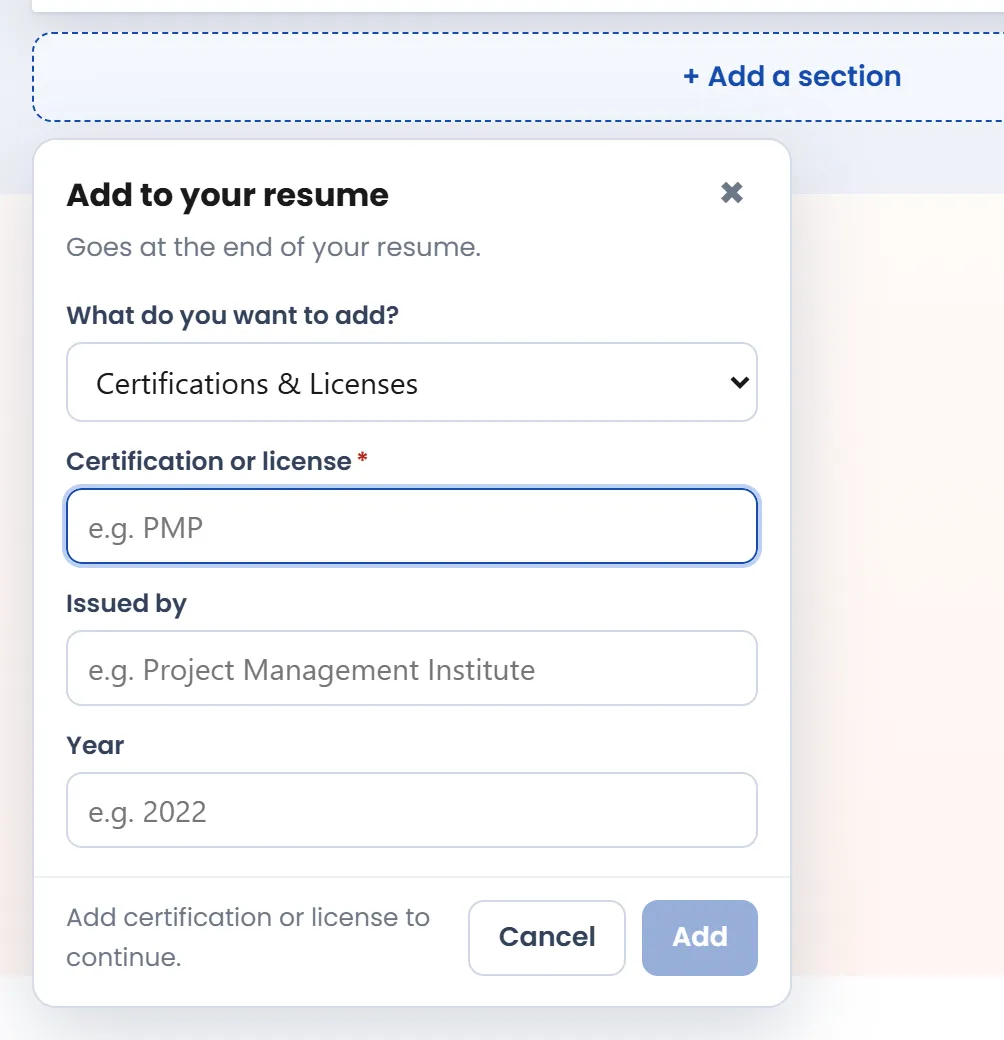
- Add what's missing: a bullet under a job, a job between two others, or a whole section.
- Drag a bullet or a section to where you want it, or move a line with Alt+Shift and the arrow keys.
- Make a line bold or italic, or turn its bullet point on or off.
- Undo and redo anything.
- Work through the margin notes one by one, or mark a whole group done at once.
- For extra coaching on resume best practices, open the RTA Resume Guide™ in the tab beside your cleaned-up resume to see what each section is for.
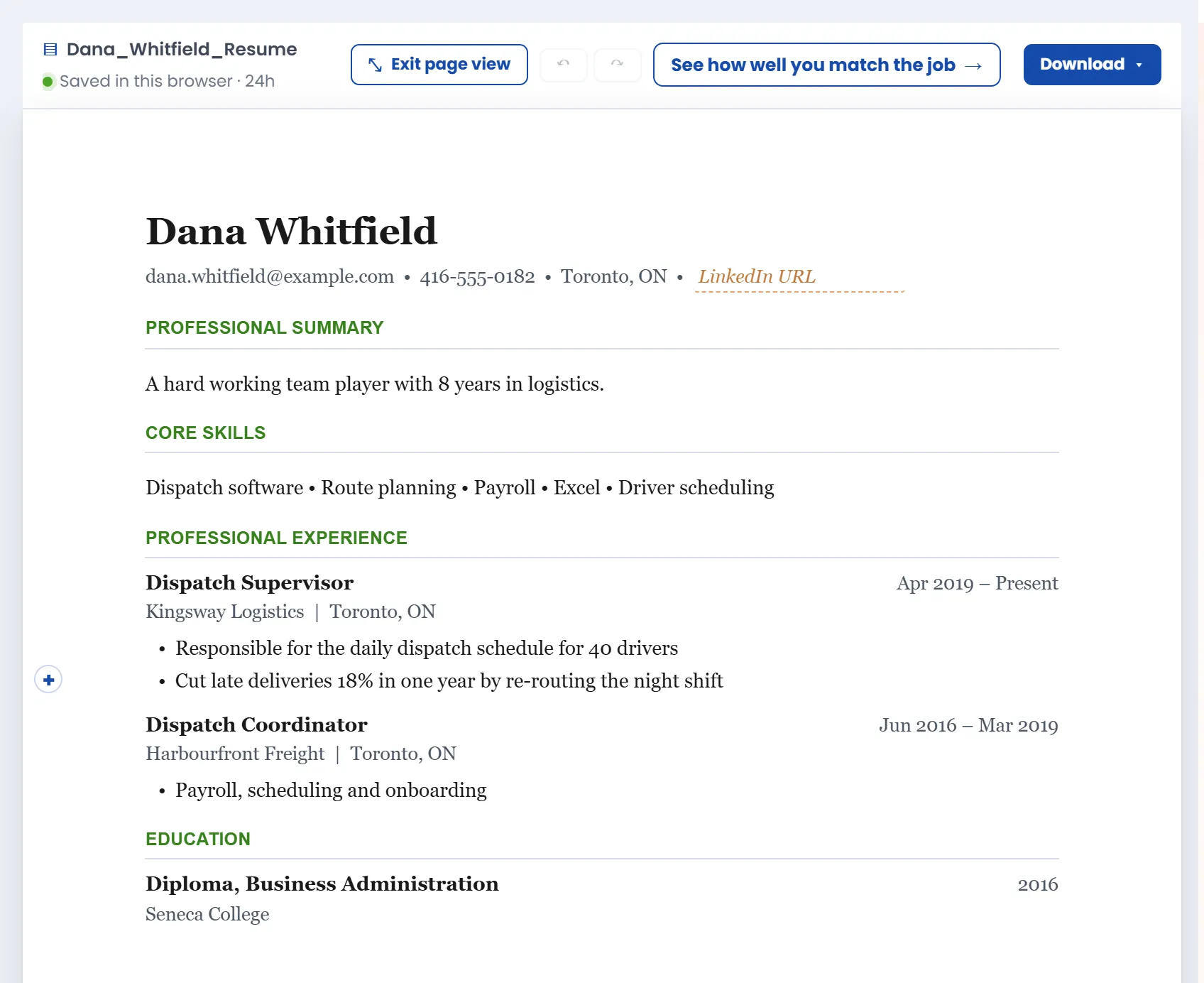
When you think you're done, "Page view" shows your resume at its real page size, the way the PDF will print (letter size only). Then download it as a PDF, a Word file you can keep editing, or plain text for application forms. The file already has your name on it.
I wanted Resume Cleanup to be a straightforward way to clean up and build a send-ready resume, so its editing tools are basic: you can't change fonts, margins, or alignment. If you want to, download the Word file and finish it there. I strongly recommend it.
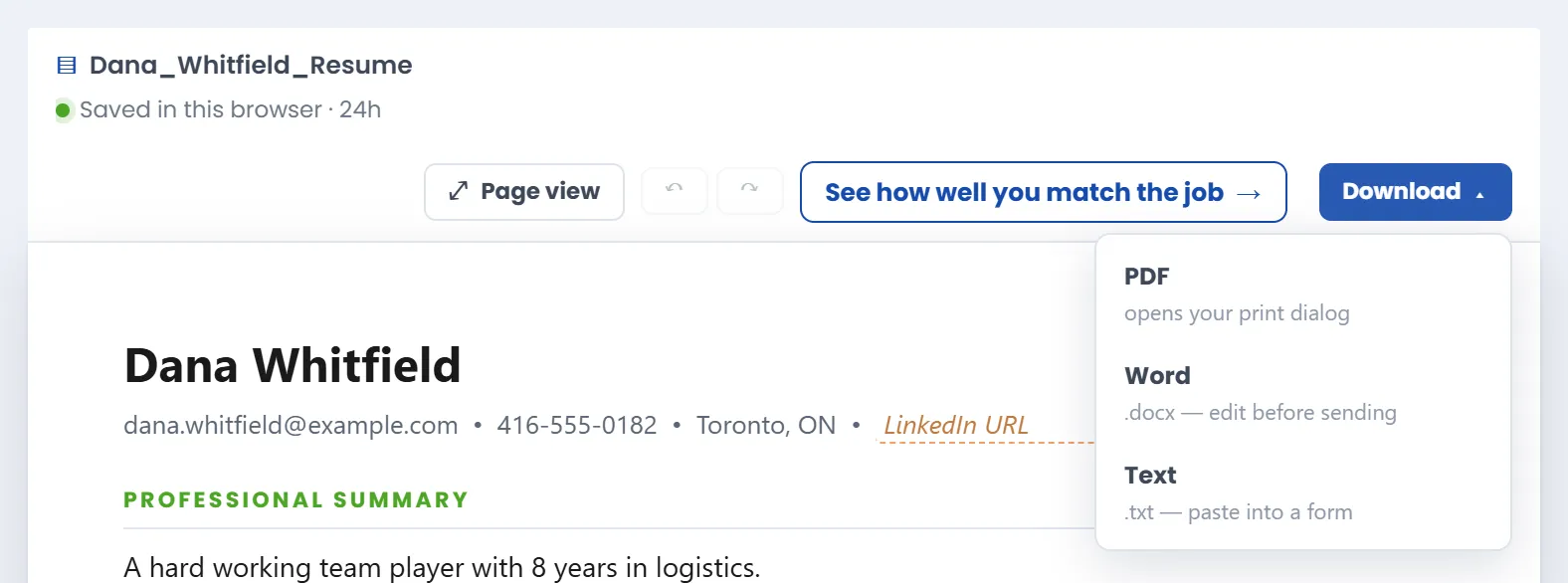
And when it's ready, one button takes your cleaned-up resume to the Fit Score, to see how well it matches the job you want.
How Much Work Goes Into Resume Cleanup?
More than you'd guess. Ready to Apply has taken more than 200 hours of building and testing so far, and much of it went into Resume Cleanup: tens of thousands of lines of code across the parser, the editor, and their tests, and more than two dozen releases, each one checked in a real browser first.
The parser
The parser works behind the scenes, but it's one of the most heavily tested parts of Ready to Apply. Before every release, we compare the results against our entire collection of test resumes and investigate anything that gets worse. Every parsing mistake we fix becomes a permanent test, so the same problem can't quietly creep back in. If a resume produces an unexpected result without being flagged, the release doesn't pass. Developers will recognize this approach as golden master testing. We've actually written more test code than product code.
Knowing what not to change is part of the work too. A layout that trips the parser on fewer than 1 in 100 of our test resumes goes on a watch list instead of into the code, and we turn down any fix that would swap a warned mistake for a silent one. Regular audits, run separately from the build, test the parser against ideas from more than ten open-source parsers, and two real fixes have already come out of them.
The interface
The parser decides what your resume says. The interface decides whether you can do anything about it, so it gets the same care. I'm a recruiter with no software developer experience, and I built Ready to Apply with AI tools, so every screen has to make sense to me before it ships. I do have a strong design background and some UI/UX experience, and that helps me keep the person using the page in mind.
- Every feature starts as a clickable mockup that I open in my own browser and try before any real code changes. Some go through more than one version before one feels right.
- Dozens of automated browser tests click through the editor before each release: typing, dragging, adding sections, undoing, downloading.
- Undo works everywhere, and the page tells you your work is saved. Those are two of Jakob Nielsen's usability heuristics, and they're the reason you can experiment without worrying.
- Resume Cleanup and Tailored Resume share the same controls wherever they can, so what you learn in one works in the other.
- It works on a phone, too.
Small things get the same attention. Change a job's dates and it moves into date order by itself. Finish a group of margin notes and one click marks them all done. And when part of a PDF won't read, the page says so, names the likely cause, and shows you what a readable layout looks like.
Try It on Your Own Resume
A recruiter gives your resume a few seconds. In Ladders' eye-tracking study, the first look lasted 7.4 seconds, and cluttered layouts did worst. I've read thousands of resumes as a recruiter, and what I needed was usually in there somewhere. On a cluttered one, I had to dig for it. A clean, standard resume is the cheapest edge you can give yourself.
Paste or upload your existing resume into Resume Cleanup, then edit it until it's yours. It's free, it's private, and you'll see what comes back in a few seconds. The full list of what it can and can't do yet is in its launch post.